
JPG vs Vector: Which Converts Better to PES?
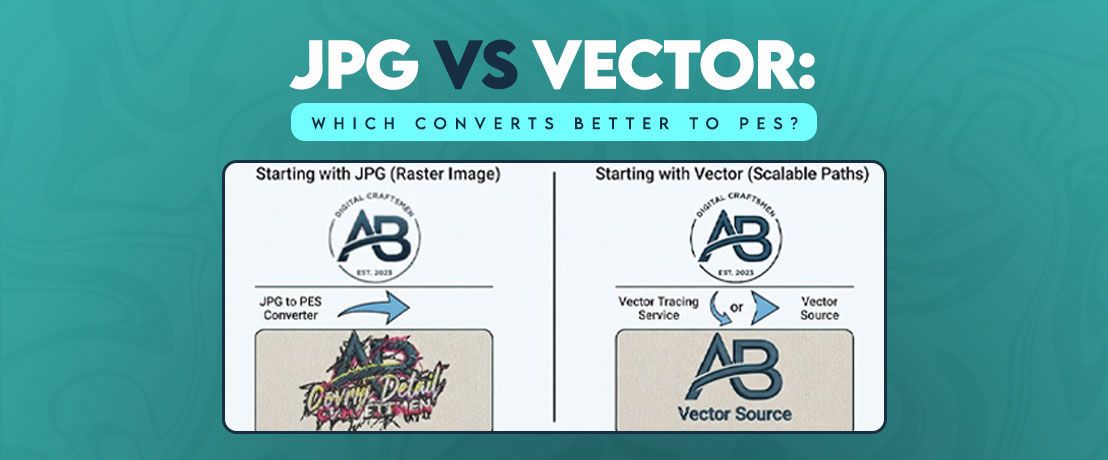
The first file you receive can shape the entire digitizing process, especially when a logo contains small details, thin lines, or several colors. I have seen this with business logos, small badges, and even simple lettering. When someone starts with a jpg to pes converter or asks for a vector tracing service, the question is not just whether the file can be changed. It is whether the artwork gives the digitizer enough clean information to build accurate stitches.
That's why you shouldn't treat JPG and vector files as equal starting points. A JPG stores a picture made from pixels, while a vector file stores shapes and paths. That difference becomes important when you need clean edges, separate colors, and controlled stitch placement. In most cases, a good vector file gives a much stronger starting point for PES digitizing.
Why File Type Matters Before You Convert to PES
A PES file is not a picture saved under another extension. It contains embroidery information that a compatible machine can read, including the stitch data needed to recreate a design. Brother lists PES among the embroidery formats supported by many of its embroidery machines.
This creates an important point that many beginners miss: changing a file extension does not turn artwork into embroidery data.
The artwork needs preparation first. A digitizer studies the shapes, decides how each area should be stitched, selects suitable stitch types, separates colors, sets stitch directions, and adjusts details for the fabric and design size.
The starting file can make that work much easier or much harder.
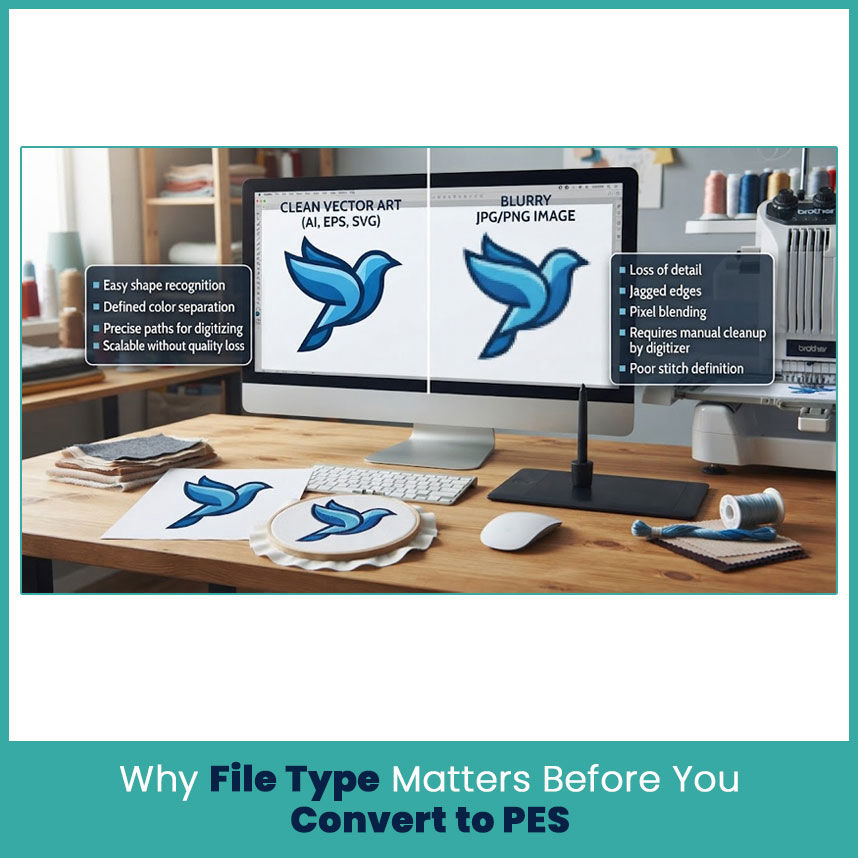
With a clean vector, I can usually identify:
Where one shape starts and another ends
Which areas should receive separate colors
Where curves and corners need attention
Which lines need to stay open or closed
How the artwork should be scaled
Which small details may need adjustment
A blurry JPG hides some of that information inside pixels. That does not make the JPG useless, but it gives the digitizer more cleanup work before the actual embroidery structure can take shape.
What is a PES File and Why Embroidery Machines Need It
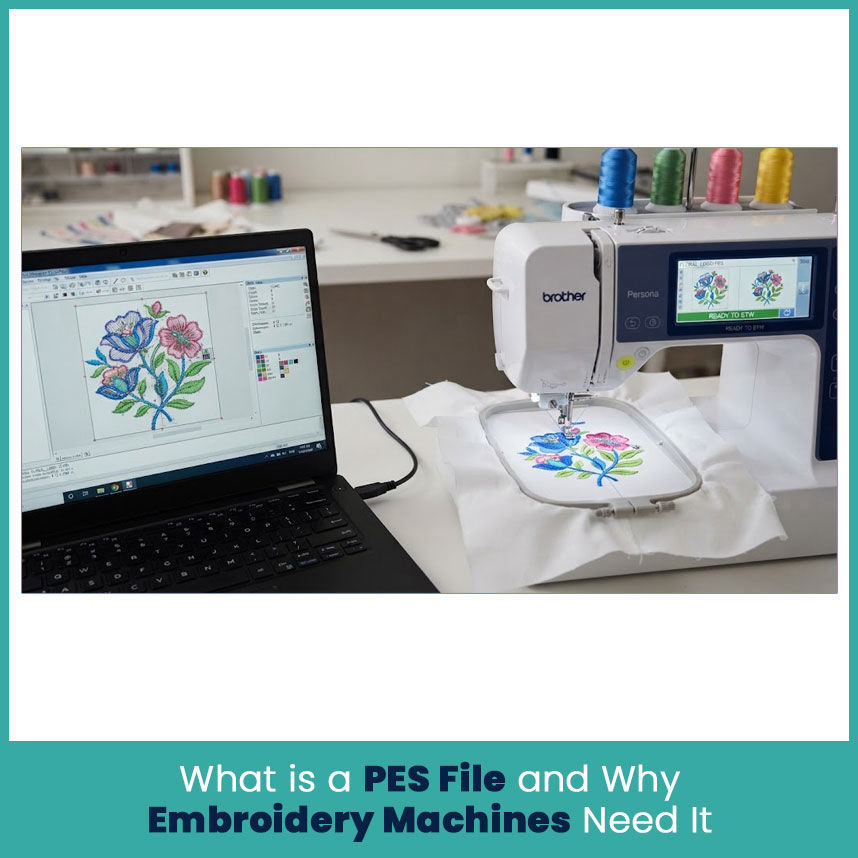
PES is an embroidery file format commonly associated with Brother and compatible embroidery systems. Unlike a JPG, it carries embroidery data rather than simply storing a visual image.
For example, a JPG can tell you that an area appears blue. A PES design needs much more information. The embroidery data has to describe how that area should be stitched, along with the order and other design information needed by the compatible machine.
Brother's documentation also shows that PES files can contain limits related to stitch counts, colors, and design size depending on the machine or software version.
That is why good digitizing matters even when the original artwork looks simple.
A small logo may contain only three colors on screen, but those colors still need to become practical embroidery sections. If the design contains tiny gaps, narrow lines, or crowded details, the digitizer has to make decisions that a simple image conversion cannot make intelligently.
JPG Files Explained: Strengths and Limits for Digitizing
JPG is one of the most common image formats because it is easy to create, share, and view. Customers send JPG logos all the time, especially when the original design files are missing.
A JPG can still work as a starting point. The problem comes from how the image stores information.
A JPG uses pixels. Each pixel contributes to the picture, so the visible edge depends on the image resolution. When you enlarge a small JPG, the edge can become soft or jagged.
That matters when the design contains fine embroidery details.
How JPG Resolution Affects Stitch Accuracy
Resolution doesn’t directly determine stitch quality, but it affects how clearly the digitizer can understand the original artwork.
Suppose someone sends a 500-pixel-wide logo and asks for a much larger embroidery design. The logo may look acceptable at its original size, but enlarged edges can become unclear.
From my experience with logo artwork, the biggest problems usually show up around:
Small lettering
Thin outlines
Curved borders
Narrow spaces between shapes
Small symbols
Fine points and corners
A high-resolution JPG gives you more visual information than a tiny compressed image, but it still remains pixel-based.
This is why I never judge a JPG only by how sharp it looks in a browser. I look at the actual artwork size and inspect the edges before deciding how much cleanup it needs.
Common Problems When Converting JPG to PES
The main problem is that a JPG doesn’t contain embroidery instructions. It only shows the visual appearance of the artwork.
Direct conversion can create weak results when the image has:
Blurry edges
Compression artifacts
Too many small color changes
Low resolution
Faded areas
Thin outlines
Overlapping details
Shadows or gradients that do not translate well to thread
Brother's PE-DESIGN documentation shows that image files such as JPG can be imported for creating embroidery patterns, but the image still goes through an embroidery design process rather than becoming stitch data simply by changing formats.
That distinction is important.
A software button may create a starting pattern, but the resulting design still needs careful review. Automatic conversion cannot always understand which details matter most in a real embroidered logo.
Vector Files Explained: Built for Clean Digitizing
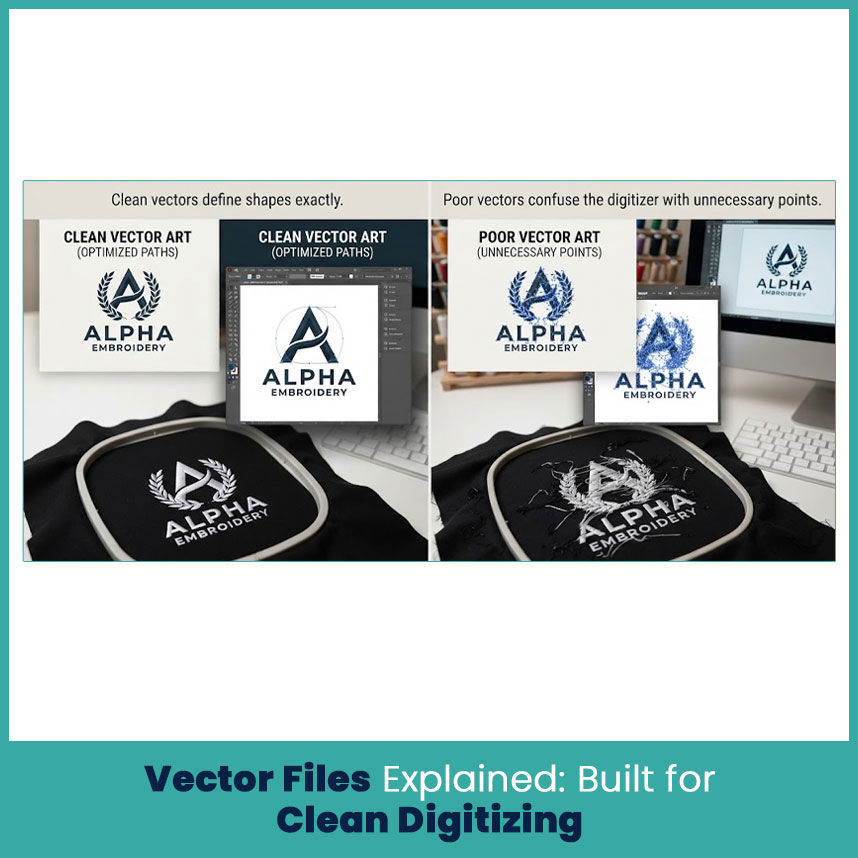
Vector artwork works differently. Instead of storing an image as a collection of pixels, it describes shapes through paths, points, curves, and fills.
For embroidery artwork, that structure can be very useful.
When I receive a clean vector logo, I can usually work from the actual shape boundaries instead of trying to judge where a blurry pixel edge should end.
Common vector formats include:
AI
EPS
SVG
The exact format matters less than the quality of the artwork inside it. A poorly built vector with hundreds of unnecessary points can still create headaches.
How Vector Paths Convert Into Stitch Paths
A vector path does not automatically become a perfect stitch path. That is an important distinction.
The vector gives the digitizer a cleaner map of the artwork. The digitizer still has to decide how that shape should become embroidery.
For example, a curved logo element may need a satin stitch, while a larger area may work better with a fill stitch. A narrow line may need to become wider so it remains visible after stitching.
The vector helps because the shape itself stays clear.
This makes it easier to identify:
Outer boundaries
Inner openings
Curves
Corners
Separate color areas
Consistent shapes
Brother also documents workflows where EPS artwork can be imported and then digitized through manual or automatic punching before saving the result as PES.
Why Vector Files Reduce Digitizing Errors
A clean vector reduces guesswork.
That doesn’t mean every vector produces perfect embroidery. Fabric, design size, stitch type, density, and other embroidery decisions still matter.
But when the artwork has clean paths, the digitizer can spend more time solving embroidery problems instead of rebuilding unclear artwork.
This becomes especially useful with logos that contain:
Multiple solid colors
Clean geometric shapes
Strong outlines
Curved lettering
Repeated elements
Detailed brand marks
In my experience, fixing the artwork before digitizing usually saves more trouble than trying to correct unclear artwork after the stitch structure has already been created.
JPG vs Vector: Side-by-Side Comparison for PES Conversion
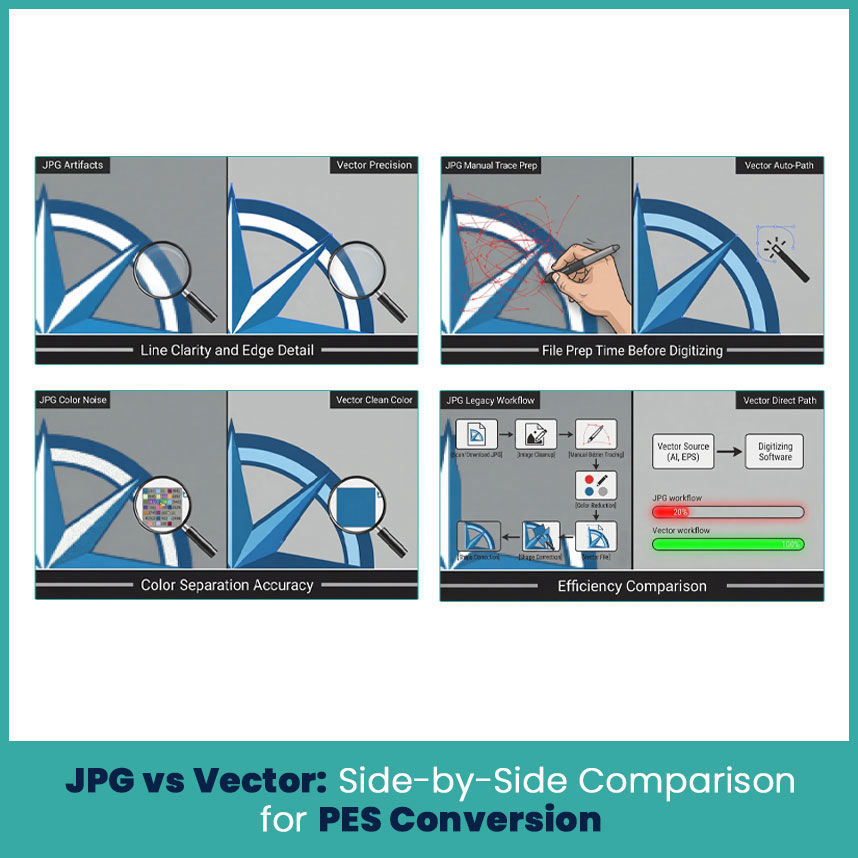
JPG and vector artwork can both become useful starting points, but they don’t give the same level of control.
Line Clarity and Edge Detail
JPG:
Edges depend on pixel resolution
Enlarging can create blur or jagged edges
Fine details may disappear
Compression can affect small shapes
Vector:
Shape boundaries stay clean when resized
Curves remain easier to inspect
Small artwork details are easier to edit
Paths provide clearer shape information
For logos with clean lines, vector usually wins.
Color Separation Accuracy
A JPG can contain hundreds or thousands of shades, even when the original logo only uses a few brand colors. This happens because of image compression, shadows, anti-aliasing, and other visual effects.
Vector artwork usually gives clearer color areas.
For embroidery, that matters because thread colors need practical separation.
A good vector can make it easier to identify:
Primary logo colors
Secondary colors
Outlines
Background elements
Separate objects
That does not mean the vector's colors automatically become exact thread colors. Thread selection still requires judgment.
File Prep Time Before Digitizing
A clean vector generally needs less artwork reconstruction.
A JPG may require:
Image cleanup
Edge inspection
Manual tracing
Color separation
Shape correction
Detail simplification
A clean vector can reduce much of that preparation.
That can become a real advantage when you need several sizes or several versions of the same logo.
When a JPG Can Still Work for PES Conversion
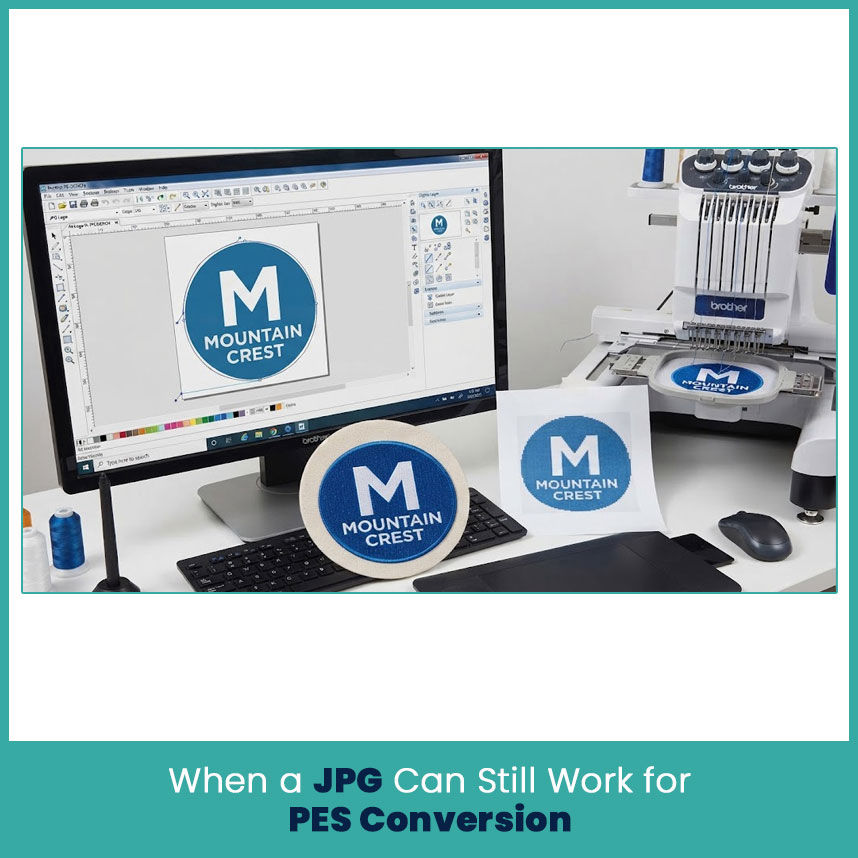
Not every JPG needs vector artwork first.
Sometimes the JPG is already sharp, simple, and large enough to understand clearly. In those cases, the image can serve as a perfectly useful reference for digitizing.
Simple Logos and Low-Detail Designs
A basic logo with a few solid shapes can work well from a JPG.
For example, imagine a logo containing:
One solid circle
Two simple colors
A short name
No gradients
No tiny details
There may be very little artwork reconstruction needed.
Brother's PE-DESIGN workflow includes importing an image and using its tools to create an embroidery pattern, which shows that image-based artwork can serve as a starting point for embroidery design.
The key is the quality and simplicity of the source.
Manual Tracing as a Workaround
When the JPG lacks clean edges, manual tracing can rebuild the artwork into usable shapes.
This process involves following the visible edges and recreating them with clean paths.
Manual tracing becomes especially helpful when:
The original vector file is missing
The JPG has a white background
The logo has simple shapes
The artwork contains clean lettering
The image has enough detail to identify the original design
After tracing, the new artwork can serve as a much cleaner reference for digitizing.
This is where a good vector tracing service can save time when the customer has only a low-quality JPG but needs a cleaner source file.
How to Prepare a Vector File Before Converting to PES
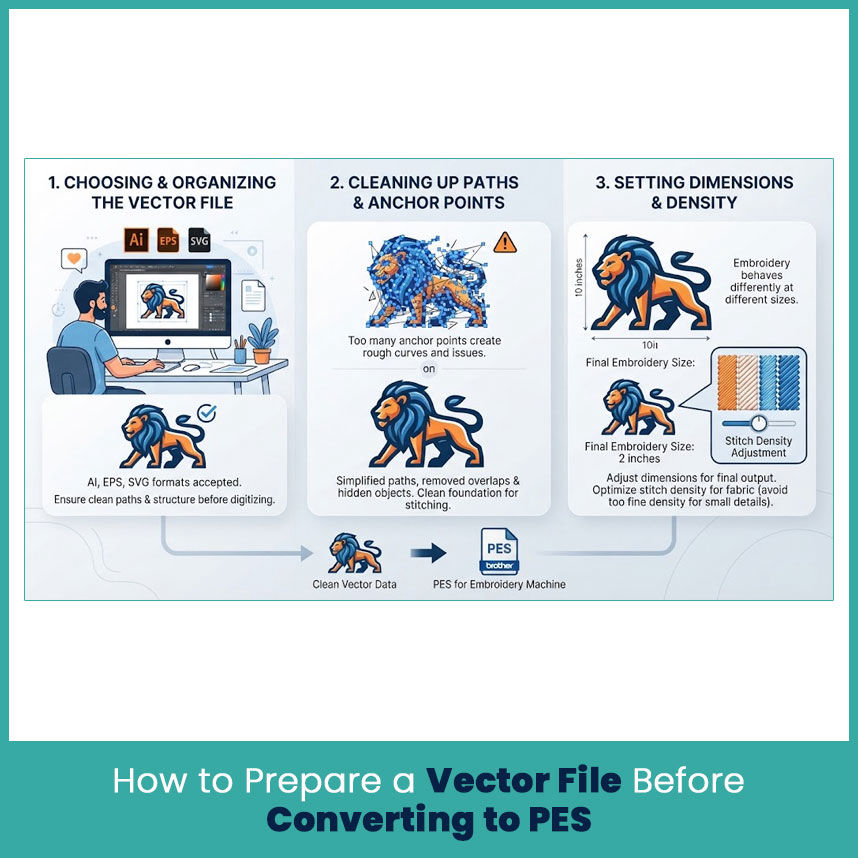
Having a vector file does not mean the artwork is automatically ready.
I always recommend checking the artwork before sending it into embroidery digitizing.
Choosing the Right Vector Format (AI, EPS, SVG)
AI, EPS, and SVG can all contain vector artwork, but software compatibility varies.
For professional artwork exchange, AI and EPS remain common choices. SVG also works well for many digital design workflows.
The important part is not the extension. The actual artwork needs clean paths and sensible structure.
Cleaning Up Paths and Anchor Points
Too many anchor points can make curves harder to control.
A good cleanup process should look for:
Duplicate paths
Open paths that should be closed
Unnecessary anchor points
Overlapping shapes
Hidden objects
Stray marks
Unwanted clipping areas
Text that needs conversion to outlines
Clean artwork gives the digitizer a much better starting point.
Setting Correct Dimensions and Stitch Density
Artwork dimensions matter because embroidery behaves differently at different sizes.
A logo that looks great at 10 inches may not hold the same details at 2 inches. Small lettering may need adjustment, while narrow shapes may need additional width.
Stitch density also needs to match the design and fabric. Too many stitches in a small area can create problems. Brother's documentation warns that very fine stitch density and overlapping stitches can contribute to needle or thread problems.
So, I would rather prepare the artwork around the final embroidery size than simply shrink a large design and expect every detail to survive.
What Happens If You Skip Vectorizing a JPG First
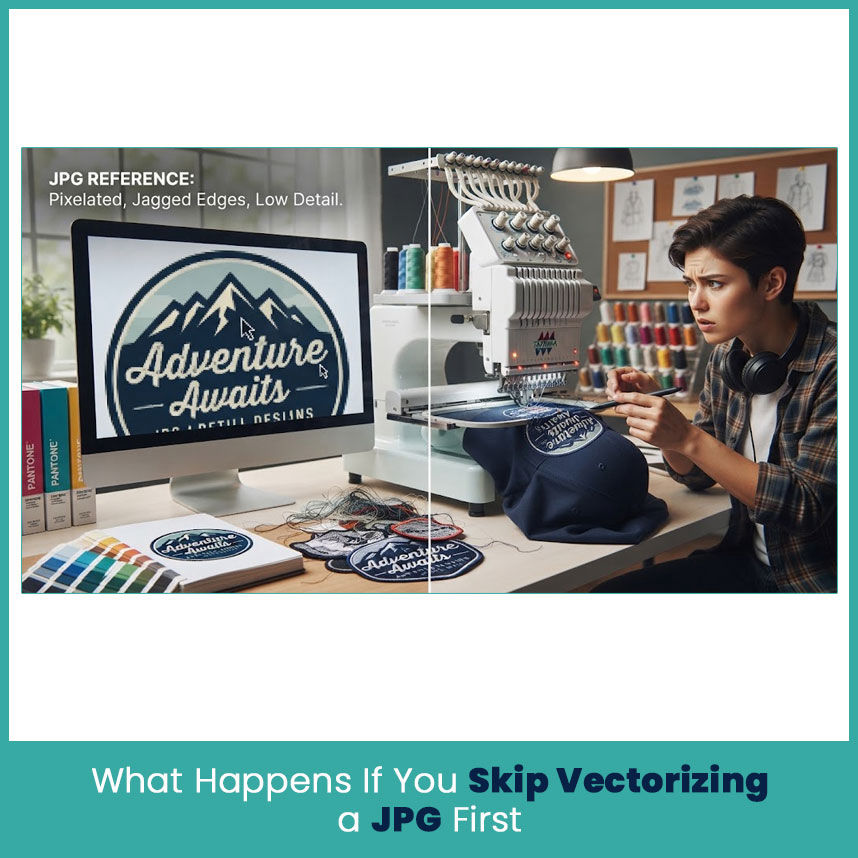
Skipping vectorization does not automatically ruin a design.
The question is whether the JPG already provides enough clean information for the digitizer.
If it does, the artwork can move forward as a reference.
If it does not, the digitizer may spend extra time rebuilding shapes, cleaning edges, separating colors, and deciding which details to remove.
That becomes more noticeable with:
Small logos
Detailed badges
Curved lettering
Fine outlines
Low-resolution artwork
Designs with gradients
Logos pulled from websites or social media
I have worked with enough logo artwork to know that a five-minute image download can sometimes turn into a much longer cleanup project. The file may look fine at first glance, but once you inspect it closely, the missing detail becomes obvious.
That is why I would not choose between JPG and vector based only on convenience.
Choosing the Right Format for Your Next Embroidery Project
If you have a clean vector file, start there.
It gives the digitizer clearer shapes, cleaner boundaries, and better control over the artwork before stitch planning begins.
If you only have a JPG, don’t assume the project needs to start over. First check the image quality, size, colors, and level of detail. A simple high-resolution JPG may work well as a reference.
For a difficult or low-quality logo, creating a clean vector first can save time and improve the artwork foundation.
When someone asks me to convert jpg to pes embroidery file, I first look at the source artwork rather than jumping straight into a file conversion. The better question is: What does this artwork need before it becomes embroidery?
That approach usually leads to a better result.
The same principle applies to any jpg to embroidery file project. The file extension is only one part of the job. The artwork needs to make sense as embroidery before the final PES file can do its job.
FAQs
Can I convert a JPG directly to PES without vectorizing it first?
Yes, a JPG can serve as the starting artwork, but complex or low-resolution designs may need tracing and cleanup before digitizing.
Why does a vector file give better PES results than a JPG?
A clean vector provides clear paths and shape boundaries, which gives the digitizer better artwork information than pixel based JPG artwork.
What vector format is best before converting to PES?
AI, EPS, and SVG can all work. The quality and cleanliness of the vector paths matter more than simply choosing one extension.
Is it worth paying for vector tracing if I only have a JPG logo?
For a blurry, small, or detailed logo, yes. A clean traced version can give the digitizer a much better starting point and reduce artwork cleanup.
Author Bio
Matthew Davis
Senior Embroidery Digitizer
I'm Matthew Davis, a skilled embroidery digitizer with more than 15 years of practical experience. I specialize in logo digitizing, 3D puff embroidery designs, applique digitizing, custom embroidery digitizing, and working with difficult fabrics.
Over the years, I have worked with different fashion brands and production teams worldwide. I always share simple tips and useful techniques to help both beginners and businesses improve their embroidery work.